Boards, calendars & more
A view is a fenced code block with a special language name. The editor shows the text; the preview (Space p) draws the view. Click things in the preview to edit them, and Tsuzuri rewrites the Markdown for you.
Columns are ## headings and cards are list items. Indented lines under a card
are its description.
```board## To do- Write the launch post Keep it short.## Doing- Record the demo## Done- Ship v0.1.0```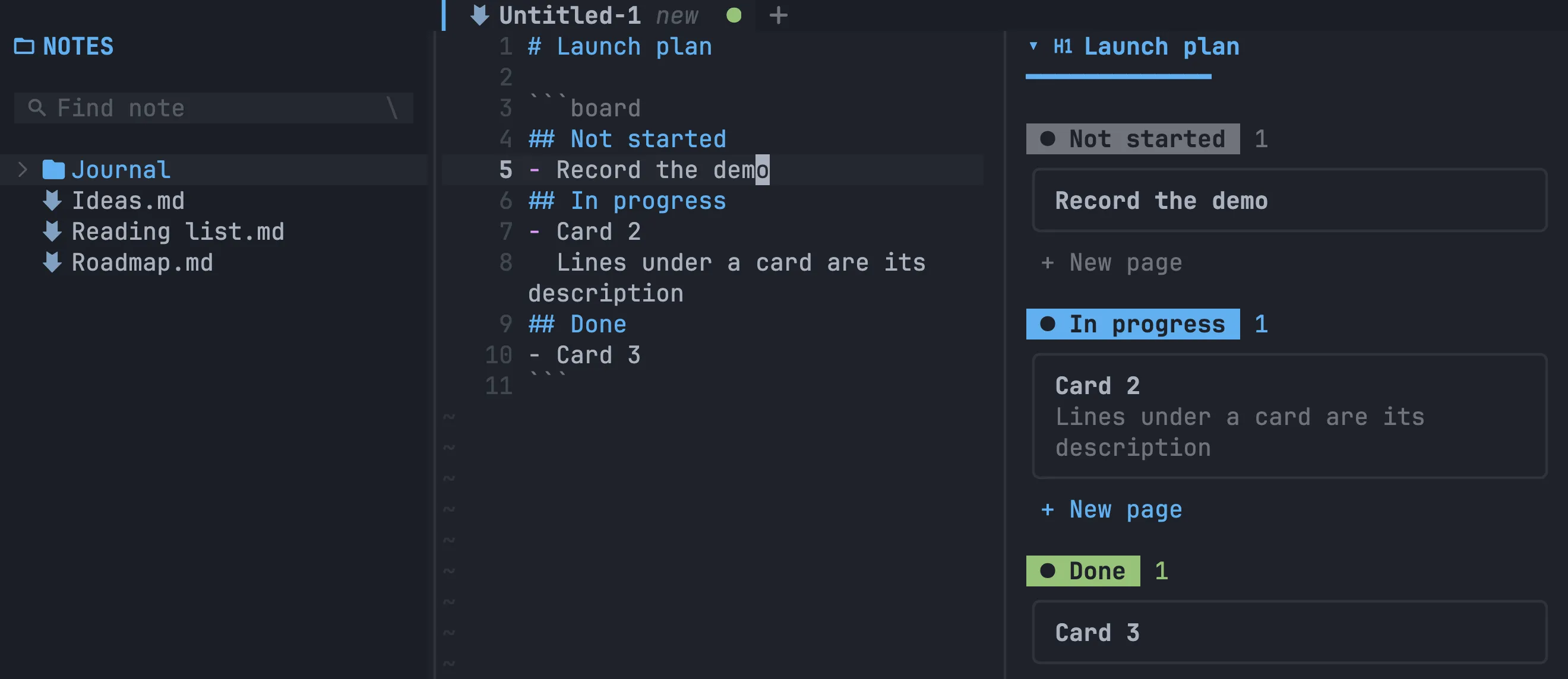
In the preview, click + under a column to add a card, click a card to rename, move or delete it, and click a column title to rename or delete the column.
Calendar
Section titled “Calendar”```calendarmonth: 2026-102026-10-04: Launch day2026-10-12: Team retro```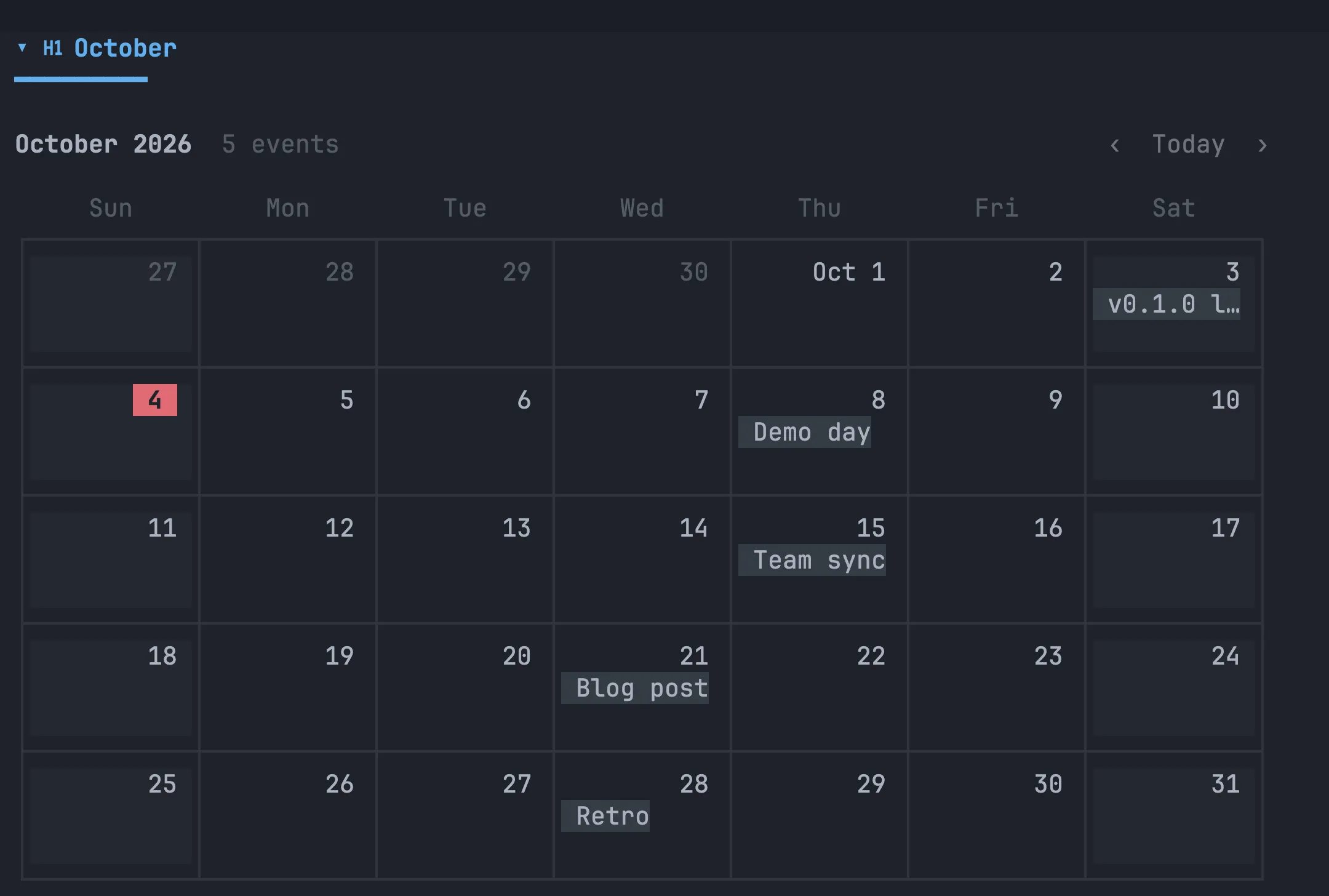
Click a day to add an event, or an event to rename it, move it to another date or delete it. Change month with < / > (or H / L) and jump to today with T.
Timeline
Section titled “Timeline”One item per line, with a start and end date:
```timelineDesign: 2026-10-01 -> 2026-10-06Build: 2026-10-05 -> 2026-10-15Launch: 2026-10-16 -> 2026-10-17```Click an item to shift it by a day or a week, change its dates with a date picker, rename it or delete it.
```charttype: bartitle: Notes writtenheight: 10Jan: 12Feb: 20Mar: 7Apr: 15```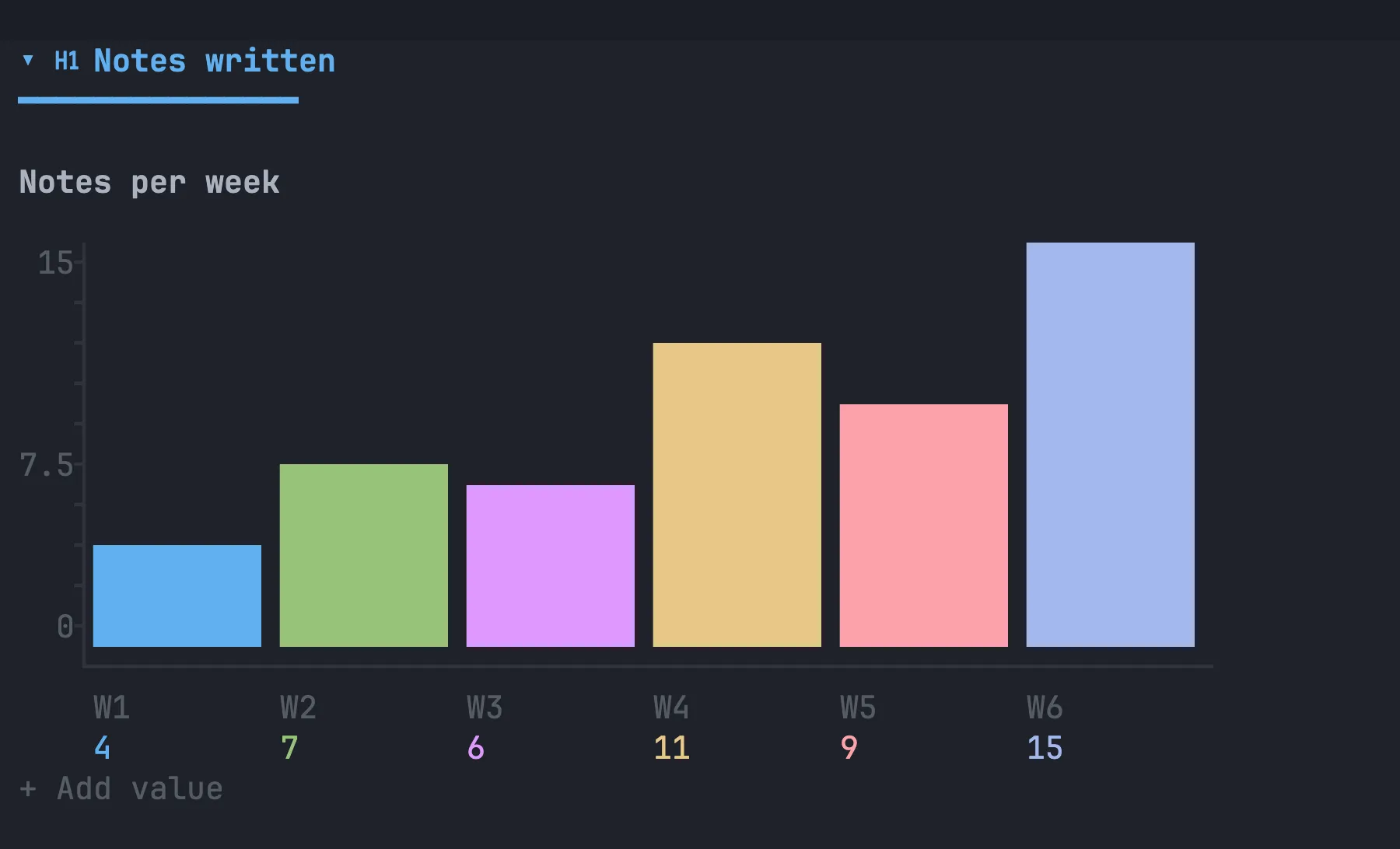
type is one of bar (the default), hbar, line, pie or donut. height
sets the chart’s height in rows (3 to 30). Click a bar to edit its value, rename
its label or delete it.
```formtitle: Team surveydescription: Takes a minute.? Your name?* Email (email)? Favourite view (choice): Board | Calendar | Chart? What should we build next? (multi): Sync | Mobile | Plugins? How happy are you? (rating)? When are you free? (date)? Anything else? (long)```Each ? line is a question; ?* marks it required. The type in brackets is
optional: long, choice, multi, rating, date or email, with options
after a colon separated by |. Answers you fill in from the preview are saved on
the next line as = answer.